On this page
Lumingo
An open-source English tutor for A1 to C2 that runs on your own computer, with a pixel-art game on top.
Lumingo trains listening, speaking, reading, and writing: four-skill units on a pixel-art quest map, a writing workshop, graded reading, free chat, and a voice conversation with a tutor who talks back. It runs on your own computer and opens in your browser. One Rust program owns the microphone, the speakers, the speech models, and your data, and it serves the interface on the loopback address. Your voice stays on your device. Text is the only thing that leaves it, and only to the AI provider you choose.
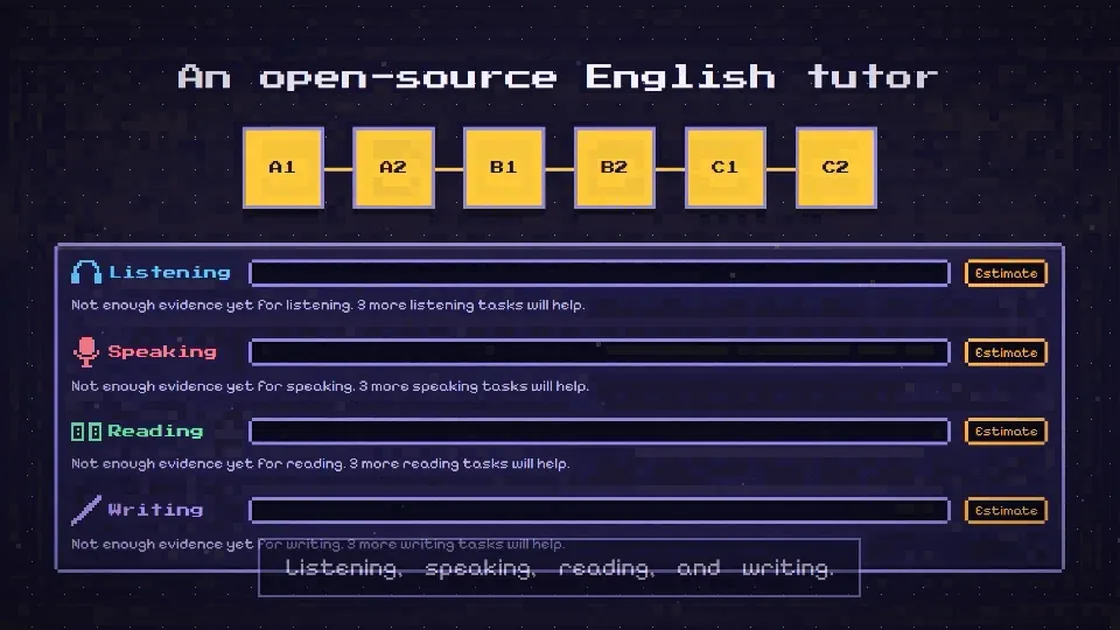
31 seconds. Full-quality MP4 — the animation above is
a smaller copy for this page. A 2:20 cut follows
one unit from setup to the first honest estimate, and says which screens are
routed today and which are still only in the engine. Voiceover and sound effects
generated with elevenlabs.io; see
docs/LICENSE_REGISTER.md.
Why Lumingo
- Runs on your machine, not someone's server. A Rust server, SQLite, and a
static Next.js interface on
127.0.0.1. There is no project backend, no account, no analytics, and no update check. - Four skills, not one. Every unit trains listening, speaking, reading, and writing, and each skill gets its own estimate.
- Your own AI provider. Bring a key and a base URL for any OpenAI-compatible or Anthropic-compatible endpoint. Text is the only thing that leaves the machine.
- A game, not a gradebook. Sparks, ranks, day streaks, and unlockable cosmetics for the mascot, Lumi. The game layer is deliberately separate from the assessment: it can never hide or inflate a level.
- Honest estimates. Levels are computed on your computer from your recorded work, always labelled as estimates, with confidence and an evidence drill-down. Pronunciation feedback is experimental and says so.
- A floor, not a gaming rig. 8 GB of RAM, 4 threads, CPU only, no GPU.
What stays where
- Your voice stays on your device. Audio is handled by the program on this computer and never reaches the browser or the network.
- Text is sent to the AI provider you choose: what you type, what is written down from your speech, your writing drafts, and the lesson context inside the prompts.
- Your API key is saved in plain text in a file on this computer
(
providers.tomlin the program's data folder), or read from.env. It is sent only to the base URL of the profile you use. - Raw audio is not kept unless you switch on recordings in Settings.
- Your name, device information, and usage statistics never leave this computer. There is no analytics and no update check.
Estimates, not a verdict
Level estimates are computed on your computer from your recorded work and are always labelled as estimates. Pronunciation feedback is experimental. A free-mode session or a generated item never counts toward an estimate.
Status
Early development. Nothing in this repository has been measured yet, and no performance number is claimed. Features are listed here only when they work.
Text chat, the unit player, the writing workshop, and graded reading are implemented and tested in the engine, and are reachable through the server API; text chat and the unit player also through the command-line client. In the browser, the home screen, the setup wizard, the progress screen, and the settings screens are routed today; the quest map, chat, reading, and writing pieces exist as components and are not routed yet.
The speech engines and model downloads are wired behind off-by-default cargo
features and have not been run on real hardware. Windows 11 is the development
and release target; the repository also builds on Linux, where the audio and
speech pieces cannot be tested. docs/ENVIRONMENT.md records what has been
built and tested on which machine, and each crate README states its own
UNVERIFIED list.
How it works
- One session at a time. The server runs one session and one turn at a time, and a reloaded page does not end a session, because the session lives in the server, not in the tab.
- Validated model output. Every structured model answer is checked against
a JSON Schema in
contracts/before use. A capability probe finds the strongest structured-output mode a provider supports, with a fallback ladder and local validation. - Evidence first. Attempts are stored with their evidence, and estimates are computed from the stored attempts. No model output sets or states a level, and free-mode work never counts toward one.
Get started
You need Rust 1.97.0 (pinned in rust-toolchain.toml) and
pnpm with Node 22 or newer.
# 1. Your AI provider: copy .env.example to .env and fill in the four values
#    (on Windows: Copy-Item .env.example .env). .env is ignored by git.
#    TUTOR_LLM_PROTOCOL=openai_chat        # or anthropic_messages
#    TUTOR_LLM_BASE_URL=
#    TUTOR_LLM_MODEL=
#    TUTOR_LLM_API_KEY=
cp .env.example .env

# 2. Build the interface, then the server that embeds it.
pnpm --dir apps/web install
pnpm --dir apps/web build
cargo build --release -p tutor-server

# 3. Run it. The browser opens on http://127.0.0.1:8765
cargo run --release -p tutor-server
The first run opens a setup wizard: pick a language (English or Indonesian),
read what leaves your computer, add the provider, test the connection, and see
what your computer can do. The server listens only on this computer and refuses
requests from other pages; it checks Host, Origin, and cookie on every route.
--dev allows one extra origin (next dev) while you work on the interface;
--port and --data-dir change where it listens and where the database,
provider file, and recordings live (%LOCALAPPDATA%\Lumingo on Windows).
Try the tutor from the command line
The command-line client plays the same engine the server runs:
# Check the provider: auth, streaming, structured output, first-token time.
cargo run -p tutor-cli -- probe

# Play the example A1 unit to its checkpoint; no provider needed.
cargo run -p tutor-cli -- unit run curriculum/examples/a1-u01.example.json \
  --script tools/tutor-cli/scripts/a1-u01-responses.json --offline

# A text conversation with analysis, stored in the database.
cargo run -p tutor-cli -- chat --text --analysis --turns 10
Real microphone, speakers, and speech models need the off-by-default features:
cargo build --release -p tutor-server --features cpal-backend,sherpa
The speech models themselves are not in this repository or the release. The app
shows each model's licence and downloads it on request, with a resumable
transfer and a SHA-256 check — though every entry in the shipped manifest is
still a candidate, so no model can be downloaded yet. See models/README.md.
Repository layout
| Path | What it is |
|---|---|
apps/server |
The Rust server: API, WebSocket events, and the embedded interface |
apps/web |
The Next.js interface, built as a static export (en and id) |
crates/app-core |
Lifecycle, sessions, providers, storage wiring — everything the server calls |
crates/tutor-engine |
Chat, unit player, workshop, reading, practice, rubric scoring |
crates/assessment-engine |
Deterministic scoring, text metrics, level estimates |
crates/llm-client |
Both wire protocols, the capability probe, the structured-output ladder |
crates/speech, crates/audio-io, crates/pron-engine |
VAD, STT and TTS, audio I/O, and pronunciation scoring behind features |
crates/storage |
SQLite through sqlx, migrations, repositories |
crates/curriculum, crates/game, crates/model-manager |
Unit schema and validators, the game layer, model downloads |
tools/tutor-cli, tools/content-cli, tools/bench |
Command-line tutor, content validator, benchmarks |
curriculum/ |
The unit schema, catalogs, and the example unit |
contracts/ |
JSON Schemas every model output is validated against |
Privacy, in one table
| Leaves the machine | Stays on the machine |
|---|---|
| The prompts (your text, transcripts, drafts, and lesson context) and the tutor's replies, to the provider you configured | Audio, transcripts, attempts, estimates, and the database |
| The key, to the provider's base URL, as its sign-in header | The API key, in a plain-text file you own |
| Nothing else | The last 50 requests and responses, in the server's payload inspector |
Model downloads, when they become available, will contact only the upstream
hosts listed in models/manifest.toml, after showing the licence; nothing else
is contacted.
The payload inspector keeps the last 50 requests and responses (bodies over 16 KiB are cut and flagged). It holds your words, because they are in the requests; it is local, and it is not part of the export. The app's Privacy and data screen says plainly that the inspector screen is not available yet, next to the export and the two deletes.
Development
The pre-commit hook (husky and lint-staged) formats the staged files and then runs the same checks as CI. After cloning, install the hook tooling once:
pnpm install
sh scripts/verify.sh runs the checks on demand. While iterating,
LUMINGO_PRECOMMIT=quick git commit ... keeps only the path case check, format,
lint, and typecheck. git commit --no-verify skips the hook; CI still runs
every check. Focused runs work too: cargo test -p tutor-engine for one crate,
pnpm --dir apps/web test for the interface.
Units are JSON files that must pass the content validator:
cargo run -p content-cli -- validate curriculum/units
Deeper documents: docs/ENVIRONMENT.md (versions and the machines things were
built and tested on), docs/GRAMMAR_CHECK.md (what the grammar checker catches
and misses), and docs/LICENSE_REGISTER.md (every third-party item and its
terms).
Licenses
- Code: Apache-2.0 (
LICENSE). - Curriculum content written for this project: CC BY-SA 4.0 (
LICENSE-CONTENT). - Third-party items and their terms:
docs/LICENSE_REGISTER.md.